PowerSchool


Forget your member name or password?

© 2006 Pearson School Systems. All rights reserved.

Parents! Need Help? Click Here for a tutorial and FAQs.

Attention Parents:

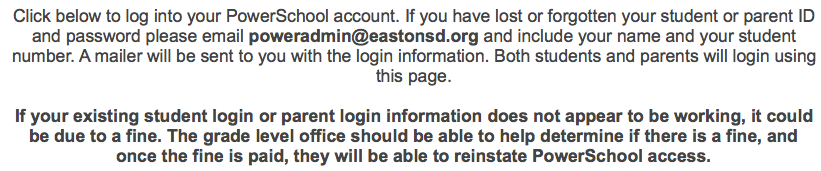
Student fines or outstanding issues:

Easton Area High School and Shawnee Middle School have both adopted a policy whereby if a student has a fine or other outstanding issue, parent access for that student will be denied until the issue is resolved. Contact the appropriate grade level office if you have questions regarding this policy. PLEASE DO NOT email poweradmin or contact the Technology Office.

Student Schedules:

The building of student schedules over the summer months are a work in progress. Although you may view your child's schedule during this process, please be advised that student schedules may change as they are continuously being modified over the summer.

Grading Methods:
When viewing scores and averages in PowerSchool, please be aware that there are different ways of determining a student’s average. Our teachers choose the method that best fits the courses and students they teach. General descriptions of the possible methods are listed below.

Total Points:
This method determines the student's grade by dividing the number of points earned by the number of points possible over the course of the grading term. The possible points may vary depending on the type of assignment. For example, a test may be worth 100 points, a quiz 50 points, and a homework assignment 10 points. See the Calculation.

Category Points:

When teachers use this method, they first create categories of assignments (i.e. tests, quizzes, labs, homework, etc.). Then they specify the weight of each category of assignments for the final grade calculation. For example, a teacher may calculate final grades using 50% from tests scores, 30% from quizzes or labs, and 20% from homework assignments. Together, the categories equal 100%.
See the calculation.

Single Assignment:
This method allows teachers to weigh important assignments more than other assignments for final grades. For example, a teacher using this method would grade all assignments based on 100 points, but choose to double the test scores making them count twice as much as homework. See the calculation.

*PLEASE NOTE: These grading methods may also be combined. Teachers can use different point values within the Category Points method, or double a single assignment within the Total Points method. Specific grading information for your child’s classes may be described on the “Class Score Detail” page above the list of assignments. Grades that do not average to a whole number will be adjusted according to the following: .5 and above: rounded to the next whole number, below .5: truncated to the current whole number.

.